The Secure Print function allows you to set an ID and a password for print data and to save the data in a box (Secure Print User Box) on the printer. Because the data is not printed within a short time period, this function prevents printed materials from being missing or left unattended.
Since you need to enter the ID and password from the Touch Panel to print the data saved in the box, this function is particularly suitable for safely printing highly confidential documents.
Therefore, to do this please follow the instruction provided below:
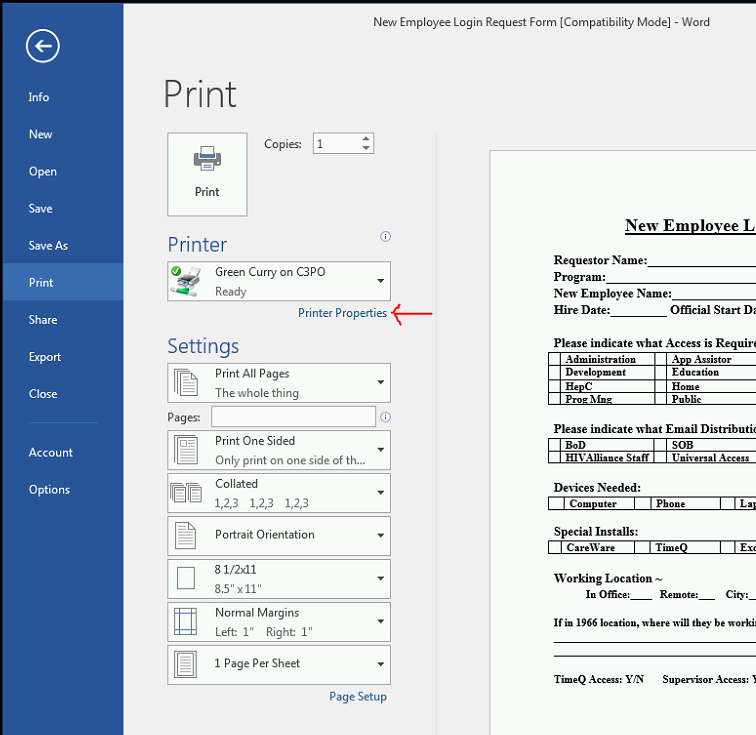
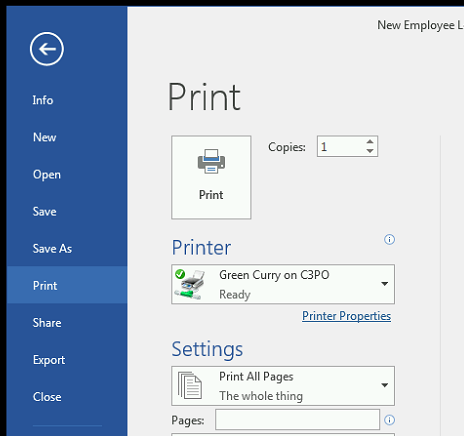
From the open document go to the File tab and click on Print.
In the Printer window, make sure you are printing to the correct printer.
Click on Printer Properties
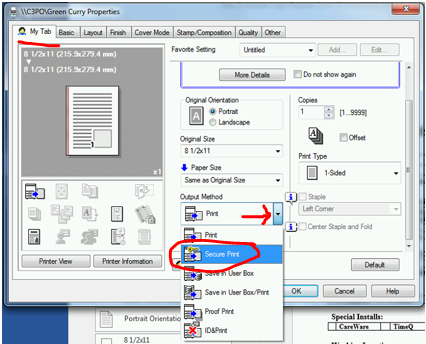
In the Properties window select the My Tab and click on the down arrow for Output Method.
Select Secure Print.
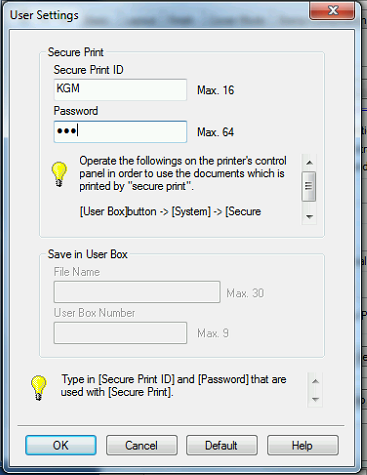
Enter a user ID and Password of your choosing and click OK.
Click OK to exit Properties.
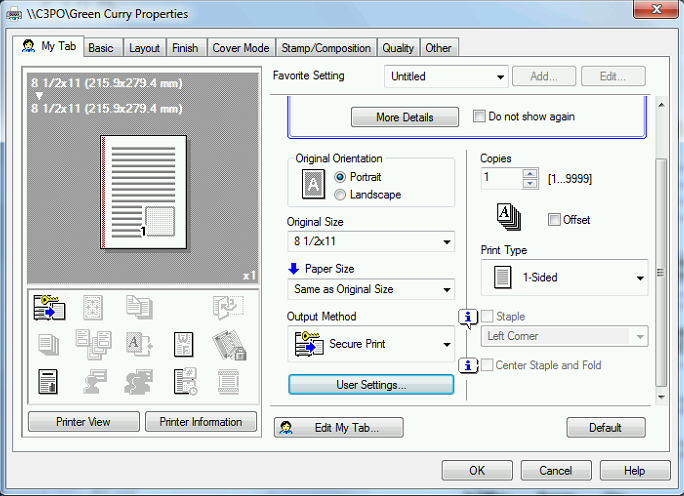
Then click Print to send the print.
At the Printer
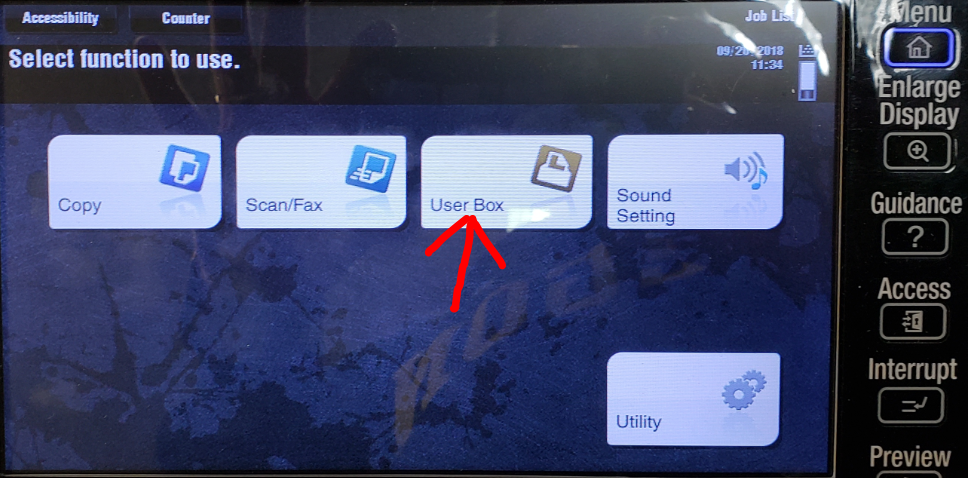
If you do not see the main menu screen touch the Menu button. 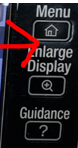
Touch the User Box button.
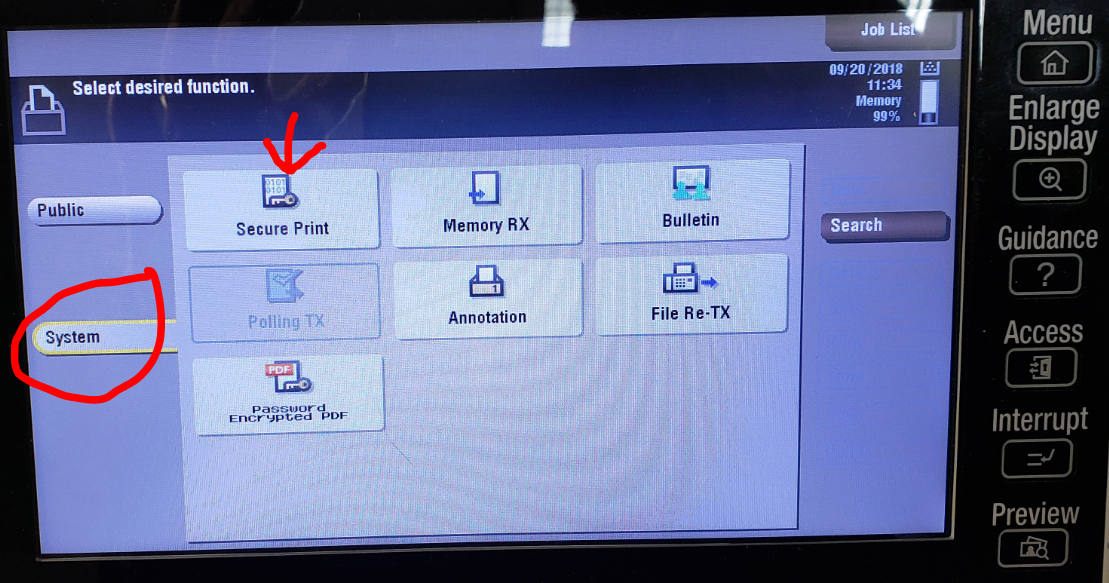
Select System and the Secure Print
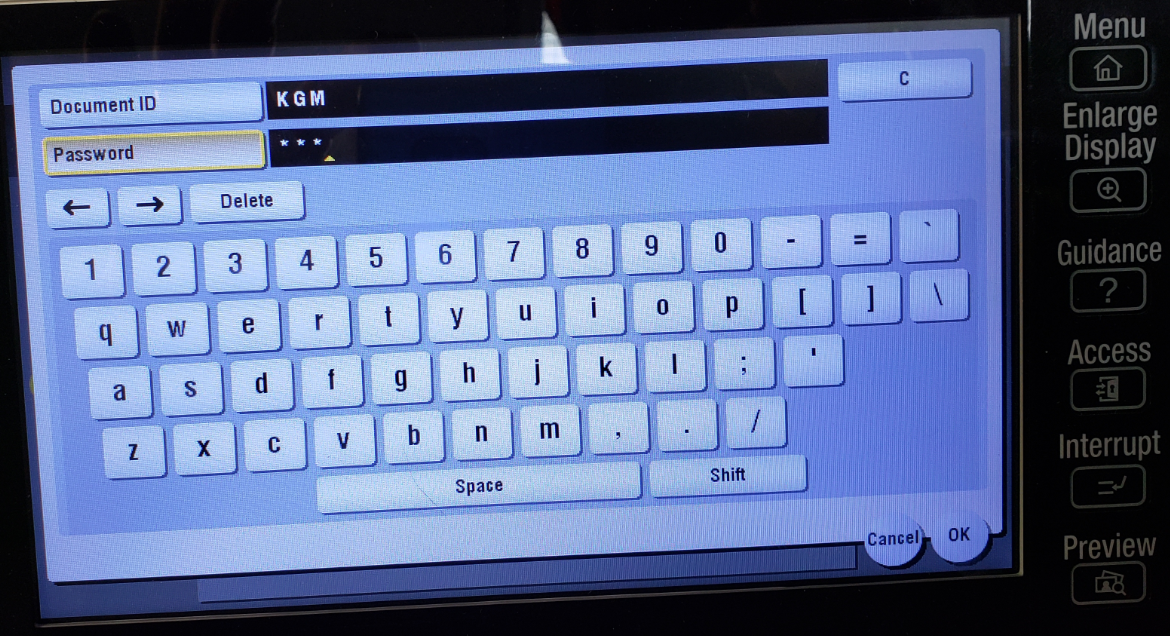
Enter you ID and Password that you set above and select OK .
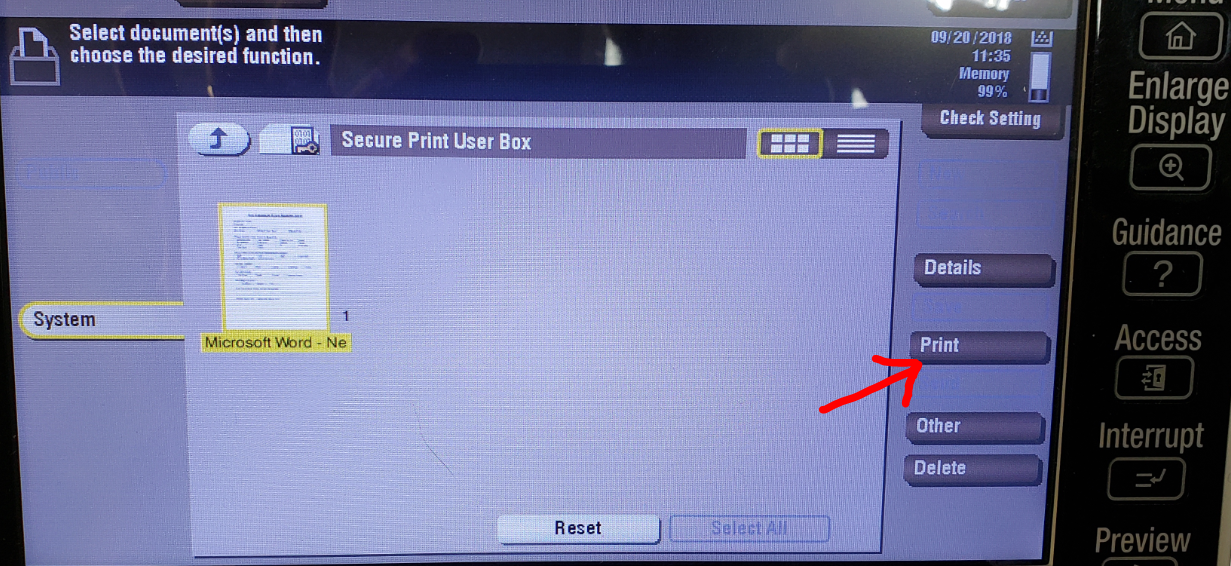
Select the Document(s) that you would like to print then select Print.
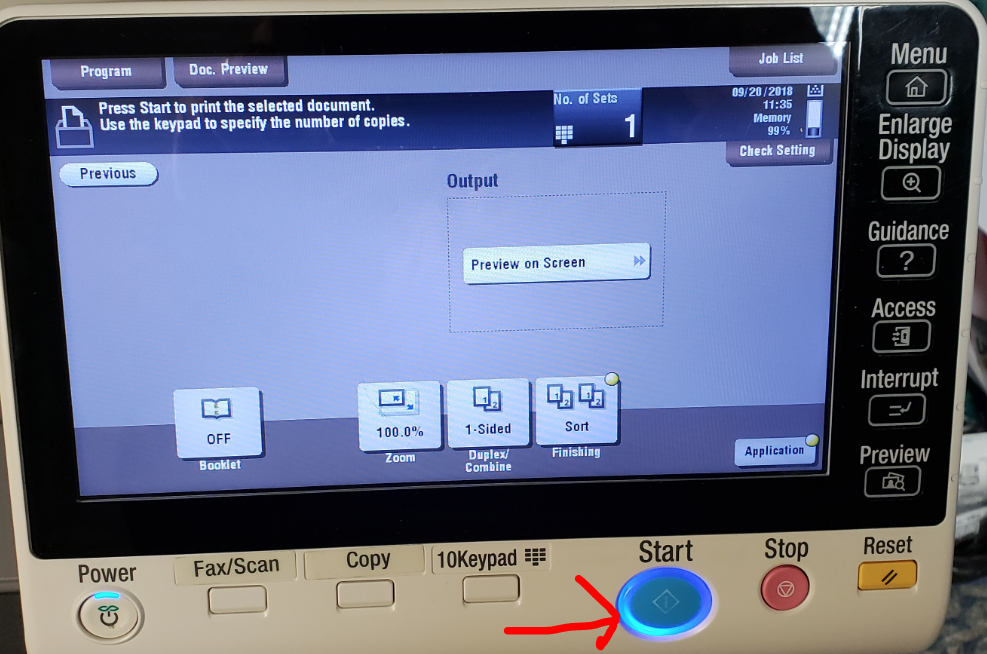
Now push the Blue Start button.
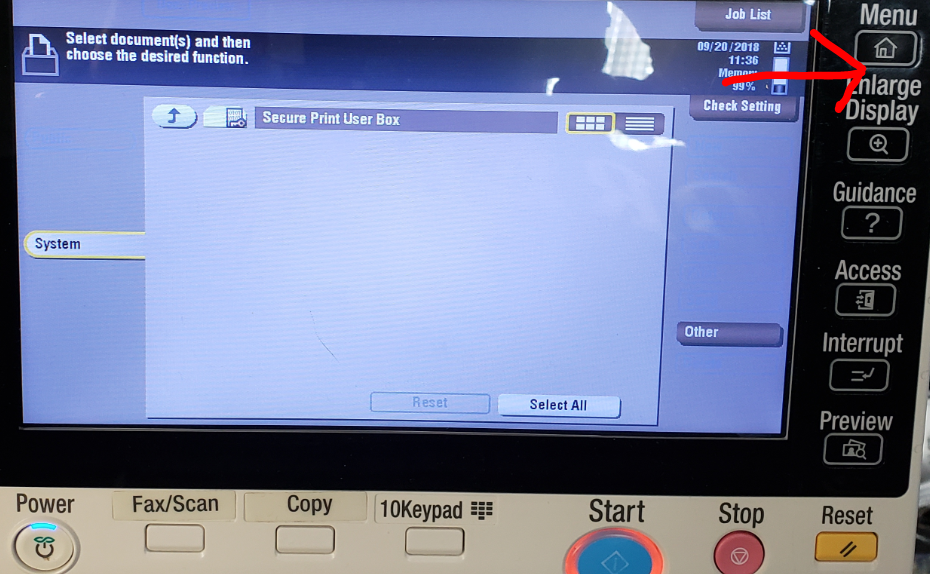
Do not forget to push the Menu button when you are finished.
Was this article helpful?
That’s Great!
Thank you for your feedback
Sorry! We couldn't be helpful
Thank you for your feedback
Feedback sent
We appreciate your effort and will try to fix the article