First Rule of the Home drive:
NO PHI (Personal Health Information) is ever stored in your Home Drive.
How to use my Home or H:\ Drive:
You’re Home Drive is one of the network drives that you have access to.
- It is also accessible from any computer that you are logged in on.
- All files/data on this drive is backed up daily.
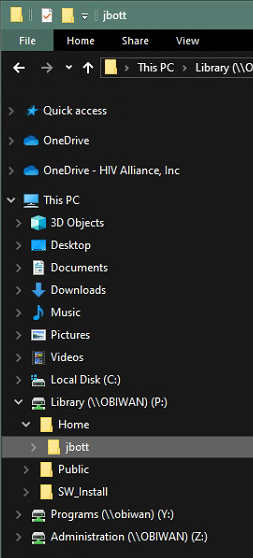
Notice that your drive will have your username and is only accessible by you.
Why should you use my Home Drive?
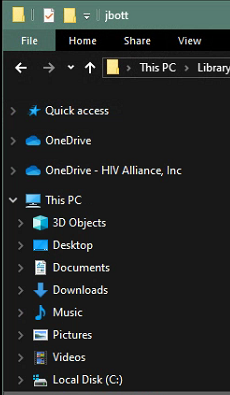
- Any files/data stored on this machine is not backed up and subject to loss if something were to happen to your computer.
- The files/data is accessible from any other machine on the network including when working remotely.
What files/data should I put in the Home Drive?
- Any files/data in these folders shown below are subject to loss if this machine was to fail.
2. If the file you are working on does not yet have a place in the Programs or Administration folder then save it to your Home Drive for safe keeping until the document finds a home.
Was this article helpful?
That’s Great!
Thank you for your feedback
Sorry! We couldn't be helpful
Thank you for your feedback
Feedback sent
We appreciate your effort and will try to fix the article